
Help center › Houses
Create a house
Set the contribution, the members and the turns.
Free houses have a member limit. A Premium house can have more members and more SMS reminders.
You need a verified identity first.
- On Houses, tap Create a house.
- Give the house a name, the contribution, how often members pay and how many members there are.
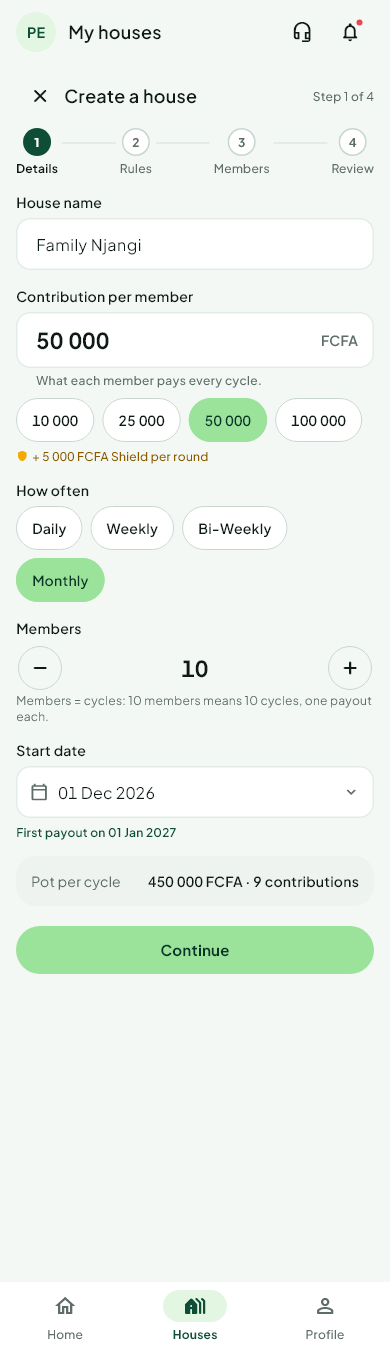 3. Choose the start date, the deadline and the late penalty.
4. Add members and order the turns (see Invite members).
5. Read the summary, sign the house agreement if asked, and create the house.
You then get an invite code and a link to share.
Was this helpful?
Thank you for telling us.
Still stuck? Write to Support