
Help center › Paying
Pay a contribution
From your Njangi Pocket or by Mobile Money.
- On Home, your next payment is at the top. Tap Pay now.
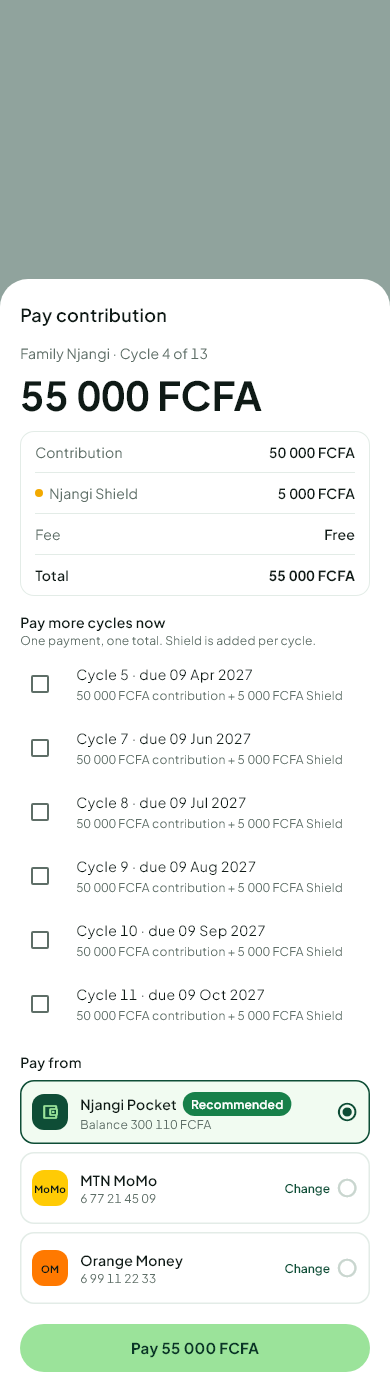 2. Choose Njangi Pocket or Mobile Money.
3. Check the amount. Any fee and any Njangi Shield premium is shown before you pay.
4. Confirm with your PIN (Pocket) or approve the request on your phone (Mobile Money).
You get a receipt at once. If you pay after the deadline, the house's late penalty may be added.
Was this helpful?
Thank you for telling us.
Still stuck? Write to Support